
From requirement to rule
“For Acme orders, use their product code and label layout. Include the batch. Hold the job if either is missing.” Writing and publishing a rule like this is part of Free.
AI helps prepare configuration. You review and publish it. Approved printing runs on fixed rules, with no model call for each label.
- Describe the requirement: use the customer’s language and your available order fields.
- Check the examples: review a normal order, a variation and a job that must be held.
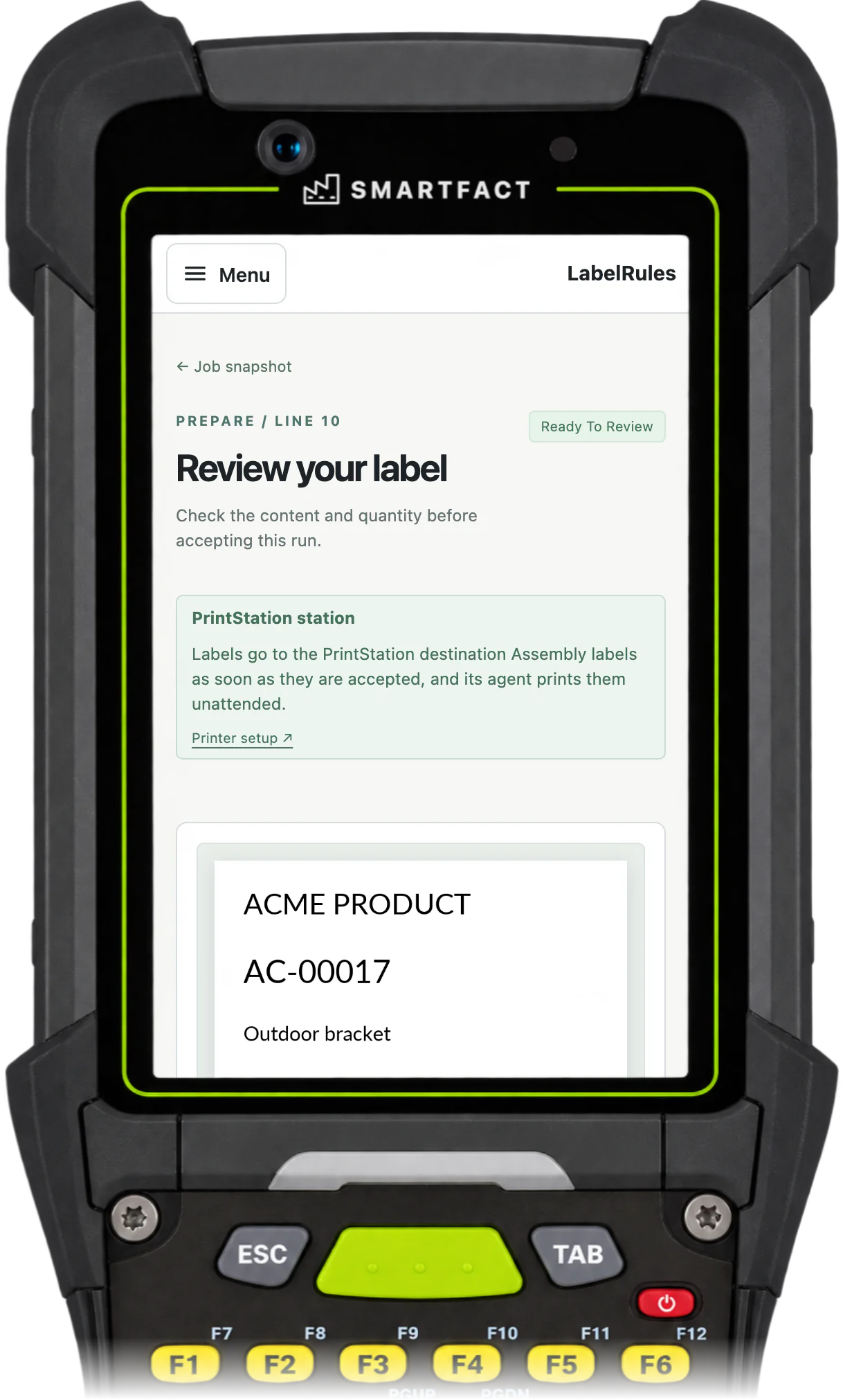
- Publish the approved rule: LabelRules automatically selects the layout, resolves the code and checks required data each time an operator starts a job.
Put the customer requirement at the centre of the workflow
Why choose LabelRules? Three reasons.
- Configure once, and give repeat decisions a home. Keep customer product codes in lookup tables and layout choices in reviewed rules. Operators can scan a job and follow the approved result, without remembering each customer’s exceptions.
- Check the change, and see what your rule does. Test expected labels and blocked jobs before publishing. Keep the template, rules, mappings and data versions together, so a customer change has a reviewable history.
- Grow into automation: start at one station and connect the rest. Free covers operator-led work. Pro routes jobs to managed stations and prints them unattended, without a browser staying open. SAP and other business systems connect through a paid integration on data.smartfact.ai.
Smart configuration belongs in Free, too
Customer rules, example checks and controlled changes are part of Free. A Pro subscription adds automation and support as your workflow grows.
LabelRules Free runs an attended label station, for a £0 software subscription. For example: scan a works order, resolve the customer’s code and layout, check the preview and print the required quantity.
- Browser label designer, standard barcodes and PDF output.
- CSV imports, customer lookups and operator-triggered jobs.
- Natural-language conditions and reviewed actions, with a monthly AI authoring allowance.
- Example testing, previews, versioned publication and rollback.
- One active station, basic history, exports and defect reporting.
Pro connects jobs, stations and support
Pro is a paid subscription for automation and support. For example: the approved rules choose a job’s labels, and the accepted run goes to the right managed station and prints unattended.
Free is an ongoing plan with a monthly AI authoring allowance. Pro includes unlimited AI-assisted authoring, with no monthly authoring credits or per-generation charges, alongside automation and technical support. The pricing page sets out the authoring scope and service limits and compares every Free and Pro feature. Printer hardware and workstation setup are separate.
- Everything in Free, with unlimited AI-assisted authoring.
- Unattended printing and routing across managed stations.
- On-premises production, with cloud-based authoring.
- Business-hours help with configuration, data imports and print troubleshooting.
- Reusable regression suites, separate approvals, coordinated rollout and extended history.
What is free, and where does paid begin?
LabelRules Free and Pro alongside BarTender’s paid on-premises and Cloud editions, decision by decision. Sources checked 28 September 2026; the numbers in brackets refer to the sources listed after this comparison.
- An ongoing free starting point. LabelRules Free: an ongoing attended workflow with customer rules, data imports and verification. BarTender: the paid editions compared here offer a 30-day trial, and ongoing use requires a paid licence [1].
- Getting your data in. LabelRules Free: operator-led CSV imports, customer/product lookup tables and reviewed reference tables from data.smartfact.ai. Data can also come in through data.smartfact.ai, which adds maintained tables and the Shopify, WooCommerce and PrestaShop connectors. SAP and other systems are a paid integration, scoped with you. BarTender: file and database connections are available in paid editions, with supported sources varying by edition [2].
- Printing from SAP. LabelRules: a paid integration, scoped with you and built through data.smartfact.ai, brings SAP data to the same tested customer rules and station routing. It is not part of Free or Pro. BarTender: documented SAP integration routes and a dedicated S/4HANA Cloud connector for SAP data, printer and template selection and manual or event-triggered jobs. Availability depends on the edition and setup [4, 5].
- Changing customer label rules. LabelRules Free: describe a condition, review its actions and check expected results, with natural-language authoring and a monthly allowance. LabelRules Pro: unlimited AI-assisted authoring, with no monthly authoring credits or per-generation charges. BarTender: paid Professional offers dynamic templates; Automation adds integration builders. BarTender also supports conditional forms [1, 3].
- Reviewing and retaining changes. LabelRules Free: example checks, versioned publication and rollback. LabelRules Pro: separate approvals and broader regression analysis. BarTender: Enterprise provides centralised document control, versioning and audit features [2].
- Automating from business systems. LabelRules Pro: routing and unattended station operation. Business systems connect through data.smartfact.ai: shops through the Shopify, WooCommerce and PrestaShop connectors, and other systems as a paid integration. BarTender: paid Automation editions provide integrations, with published starting prices of US$575/year on-premises and US$1,750/year for Cloud [1].
- Workspace and starting cost. LabelRules Free: browser workspace and designer. Attended local printing goes through SmartFACT PrintStation, with a qualified workstation and printer. BarTender: Cloud Essentials includes browser design from US$390/year. Desktop editions start at US$199/year for Starter and US$299/year for Professional [1].
- On-premises production. LabelRules Pro: on-premises production, with cloud-based authoring. Download an approved configuration, then accept new local jobs, render and print on your infrastructure. BarTender: paid on-premises editions run locally, including label design and production. Cloud is a separate deployment option [2, 3].
- Getting technical help. LabelRules Free: documentation and defect reporting. LabelRules Pro: ticket/email help during business hours with configuration, data imports and print troubleshooting. BarTender: new paid licences include at least one year of Standard support; Cloud Essentials receives Essential support. Premium support costs extra [1].
Comparison sources and pricing
BarTender prices are the vendor’s advertised starting prices in US dollars, not UK quotes or like-for-like licence totals. Confirm the edition, licence basis, printers, taxes and support with the vendor. Ask us for LabelRules Pro pricing for your workflow.
- [1] BarTender pricing and editions: https://www.bartendersoftware.com/product/pricing
- [2] On-premises capabilities: https://www.bartendersoftware.com/product/on-premises
- [3] Cloud capabilities and Intelligent Forms: https://www.bartendersoftware.com/product/cloud
- [4] Business-system integrations: https://www.bartendersoftware.com/product/integrations
- [5] S/4HANA Cloud connector documentation: https://help.seagullscientific.com/bartendercloud/help/en/Content/ERP/SAP_Overview.htm
Bring the exception. Build a repeatable workflow.
Start with your customer’s hardest label. Choose LabelRules to keep customer codes, label choices and checks consistent as requirements change. Bring the normal case, the awkward variation and the job that should stop.
LabelRules is independent of BarTender and Seagull Software. Product names belong to their respective owners.
Common questions
What does smart automation mean for my team?
In Free, the operator starts the job and the approved rules handle label selection, customer codes, quantities and checks. Pro routes that same workflow to managed stations and prints unattended, and data from your business systems can come in through data.smartfact.ai. Your team still controls what is approved to print.
Can production run on our own infrastructure?
Yes. Pro includes on-premises production, with cloud-based authoring. Your local service validates and activates signed configuration packages, then handles new jobs and print history locally. It needs no local AI service or AI credentials. Existing approved production continues during internet outages while local dependencies and the production licence remain valid; new AI-assisted configuration requires cloud access.
Can we move existing BarTender labels?
SmartFACT does not import or convert BarTender .btw files. Start with representative artwork and sample data, recreate the layout and compare the output. The migration checklist in the service guide sets out the assessment steps.
Do we need to replace every label at once?
No. Start with one customer or product family, compare the expected labels and qualify the workstation, printer and stock. Keep existing workflows in place while you establish the next one. Specialist requirements such as RFID need their own fit assessment.
Related pages
Start free at one station and pay when you grow. While SmartFACT is in early access, we set your first workflow up with you.


