Identify the customer and product
The saved lookup uses customer and product identifiers. Names and spreadsheet row positions are not the matching key.
CUSTOMER-SPECIFIC PRODUCT LABELS
The same component can need a different product code on a customer’s label. Bring that requirement into a saved mapping, then review the resolved label before a run.
Early access for a defined manufacturing CSV workflow.
WORKS ORDER
WO-12345INT-00017AC-00017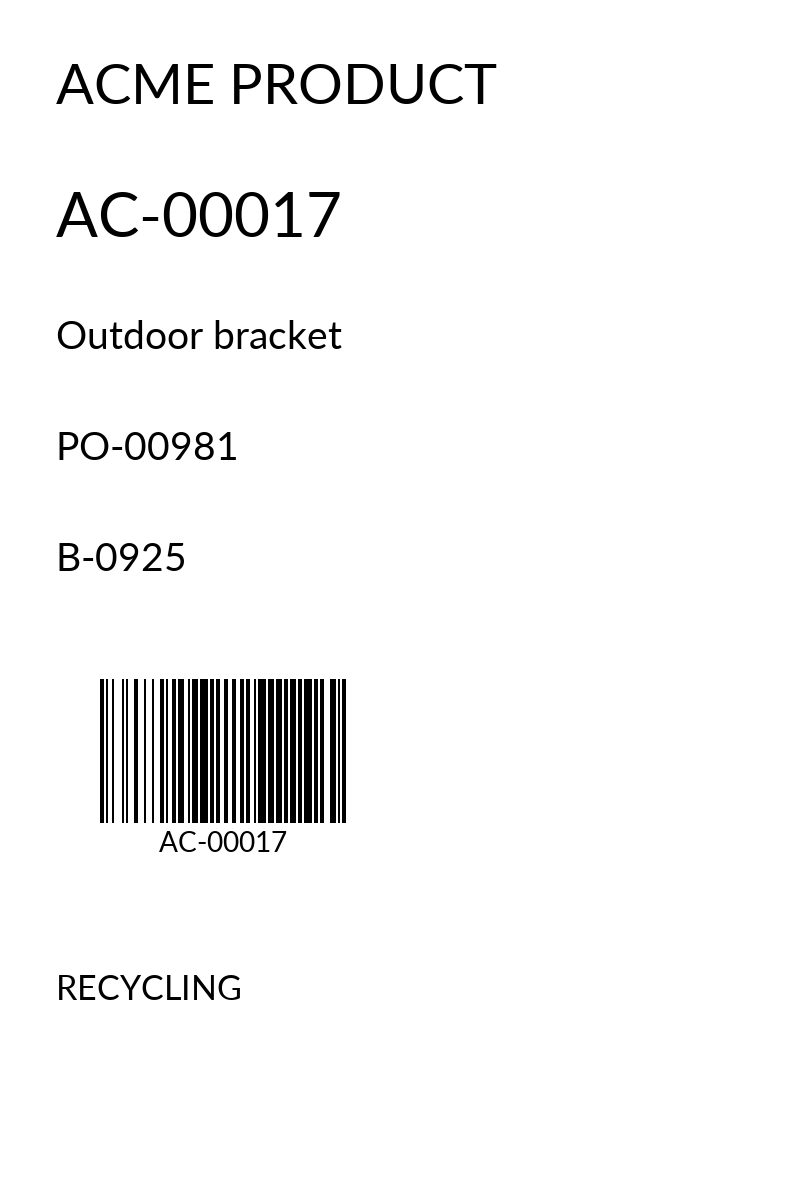
A WORKED EXAMPLE
The sample order contains the internal product code INT-00017. A saved mapping for that customer and product resolves the customer code AC-00017.
The Acme label uses that resolved code alongside purchase order PO-00981 and batch B-0925. The preview shown here is actual renderer output using fictional data.
FROM REQUIREMENT TO REVIEW
Start with the customer’s label example and a representative order. Agree which values come from the order and which belong in the customer configuration.
The saved lookup uses customer and product identifiers. Names and spreadsheet row positions are not the matching key.
Product references are text. Meaningful leading zeros must survive the journey from source data to label.
Review the selected layout, resolved values and barcode. A readable preview is one check; the physical label still needs checking on your printer.
BEFORE YOU START
Early access has a focused set of Acme and standard product-label examples, with template revisions and proofs. Arbitrary customer rules and self-service publication to a production QZ station are outside the current scope. We assess your layout and mapping requirements together.
The current production profile is 100 × 150 mm with text and Code 128. Bring any other sizes, barcode types or customer approval requirements into the initial conversation.
A representative label or artwork, an anonymised order export, the corresponding customer product code, and an example that should be held rather than printed. Include the printer and label stock you intend to use.
LET’S START WITH YOUR WORKFLOW
Tell us about your data, customer requirements and printer. We’ll help you assess whether SmartFACT Labels fits.